





Written by David J. Schwartz
Crypto Gambling Audit & Bonus MechanicsBetFury App: Download, Install & Login Guide (2026)
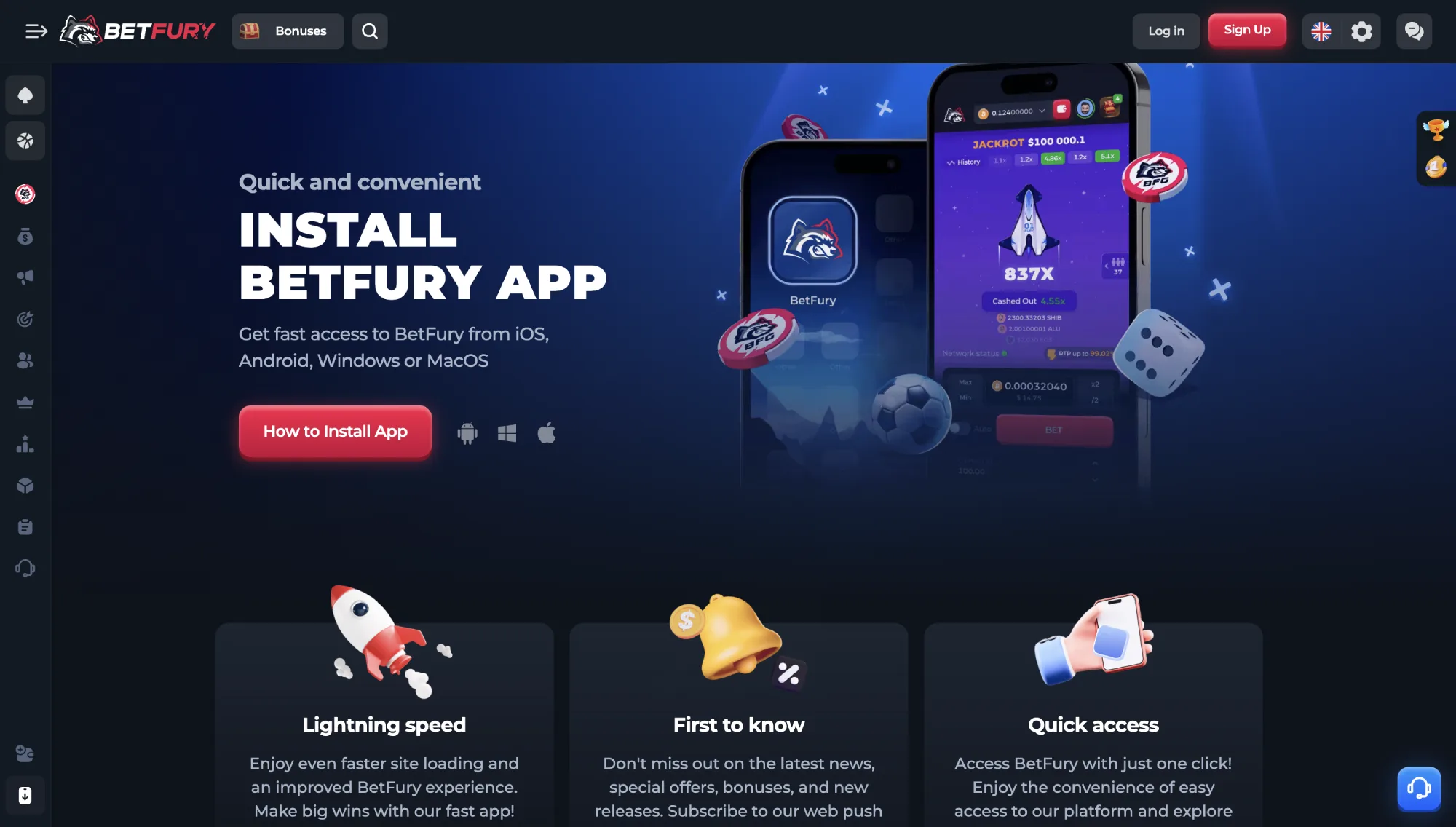
The BetFury app brings the full crypto casino, sportsbook, wallet, and bonus experience to your phone, tablet, or desktop. Because BetFury is not currently listed on the Google Play Store or Apple App Store, the "app" is an installable progressive web app (PWA) that runs through your browser but behaves like a native app once added to your home screen, with one-tap access, fast loading, and optional push notifications.
This guide covers everything players ask about the BetFury app: how to download and install it on Android, iPhone, Windows, and Mac, whether a BetFury APK actually exists, how login and account sync work between the app and the website, which games and payment methods are available on mobile, and how to fix the most common install and login problems. We tested the install flow across devices and browsers to confirm each step below actually works.







BetFury does not publish a native app on Google Play or the Apple App Store, so there is no official APK file and nothing to "sideload." Instead, BetFury is installed as a Progressive Web App (PWA): you open the real betfury.com site in a supported browser and add it to your home screen, which creates an app icon, a full-screen window without the address bar, and (on supported devices) push notifications — all without ever leaving the official, HTTPS-secured site.
This approach is actually safer for players than a typical downloadable gambling APK, because the app content is always served live from BetFury's own domain rather than a static file that can be repackaged, modified, or faked by a third party. Below are the exact install steps for every major platform, followed by what to do if the install option does not appear.
Is There an Official BetFury APK?
No. BetFury does not distribute an APK file for direct download, and any "BetFury.apk" offered outside the official site should be treated as unverified and potentially unsafe — third-party APKs for gambling brands are a common vector for malware, fake wallets, and phishing logins. The only official way to get the app is through the in-browser "Install" or "Add to Home Screen" prompt described below, which pulls the real site directly from betfury.com.
How to Install the BetFury App on Android
| Step | What to Do |
|---|---|
| 1 | Open Chrome (or another Chromium browser) on your Android phone or tablet and go to the official BetFury site. |
| 2 | Tap the three-dot menu in the top-right corner. |
| 3 | Select "Install app" or "Add to Home screen." Chrome may also show this automatically as a banner at the bottom of the screen. |
| 4 | Confirm the install. The BetFury icon appears on your home screen within seconds, no APK, no unknown-sources permission, and no Play Store listing required. |
| 5 | Open the app icon any time to launch BetFury in a full-screen window and log in with your existing account. |
How to Install on iPhone / iOS (Safari)
| Step | What to Do |
|---|---|
| 1 | Open Safari (not Chrome — iOS only allows PWA installs from Safari) and go to the official BetFury site. |
| 2 | Tap the Share icon (the square with an upward arrow) in the bottom toolbar. |
| 3 | Scroll down and tap "Add to Home Screen." |
| 4 | Confirm the name and tap "Add." The BetFury icon now sits on your iPhone home screen like any other app. |
Install on Windows or Mac (Desktop)
On desktop, BetFury installs the same way through Chrome or Edge: open the site, click the install icon (a small monitor with a down arrow) in the address bar, and confirm. On Mac, Safari users can use "Add to Dock" from the File menu instead. Once installed, BetFury casino opens in its own app window separate from your browser tabs, complete with its own taskbar or dock icon.
What to Do If the Install Option Doesn't Appear
If you don't see an install prompt, the most common causes are an outdated browser, a browser that doesn't support PWAs (some in-app browsers inside Instagram, Facebook, or Telegram block installs), or a page that hasn't fully finished loading. Try opening the link directly in Chrome or Safari rather than through an in-app browser, clear the browser cache, update the app to the latest version, and reload the official BetFury URL before trying again.
BetFury is operated by Universe B Games B.V., a company registered in Curacao. According to the platform's official terms, the service is licensed in Curacao under licence number OGL/2024/1494/0942, issued by the Curacao Gaming Authority (CGA) for online games of chance. BetFury publishes the licence details in its Terms and Conditions.
Curacao licensing is common among crypto casinos and gives BetFury a clearer regulatory base than fully unlicensed operators. Still, it does not provide the same level of local consumer protection as strict national regulators. Players should treat BetFury as an offshore crypto casino: legitimate and documented, but still best used with sensible bankroll limits and an understanding of the site's KYC and restricted-country rules.
Terms also state that users must be over 18, must not play from restricted jurisdictions, and may be asked for KYC documentation at different stages of account use. KYC checks can include identity documents, selfies, source-of-funds information, occupation details, and confirmation of the user's jurisdiction when BetFury needs to satisfy compliance or risk-control requirements.
Is the BetFury App Safe to Install?
Yes, provided it is installed the official way. Since BetFury's app is a progressive web app rather than a downloadable file, there is no separate app binary to tamper with — every session loads the live, licensed site over an encrypted connection. The safety risk in this category comes almost entirely from unofficial sources: fake "BetFury APK" downloads shared on third-party sites or messaging apps can bundle malware, clone the login screen to steal credentials, or redirect deposits to the wrong wallet. Only install through the "Add to Home Screen" or "Install app" prompt in Chrome or Safari, and never enable "install from unknown sources" for a gambling app.
Privacy & Data Handling
BetFury's Privacy Policy explains that the platform may process account data, contact data, technical data, financial data, gameplay data, transaction identifiers, bonus balances, login records, device information, and chat support history. This is broader than a minimal no-KYC wallet-only setup, but it is typical for a licensed gambling site that needs to operate payments, bonuses, security controls, support, and anti-abuse checks.
The policy says BetFury uses personal information for KYC verification, account management, security authentication, service improvement, legal compliance, fraud prevention, and analysis of multi-accounting risk. It also states that BetFury is committed to securing user data and preventing unauthorized access by using modern technologies and software.
European users are given GDPR-style rights, including access, correction, deletion, restriction, objection, portability, and withdrawal of consent where applicable. BetFury also says it does not lease, sell, or distribute personal information to third parties unless permitted by the user or required by law.
Businesses looking to build a similar crypto gaming platform can explore a BetFury Clone Script, which typically includes user account management, payment integration, and security-focused features inspired by modern crypto casinos. Such solutions provide a customizable foundation while allowing operators to implement their own compliance, privacy, and data protection policies.
Reputation
BetFury has operated as a crypto-first casino and sportsbook brand for several years and has built its public profile around Original games, a large slot library, BFG token utilities, staking-style features, VIP rewards, and community activity. Its official documentation presents the brand as a crypto casino with multichain support, provably fair mechanics, account security guidance, and a structured bonus/VIP system.
The site's safety reputation is helped by the fact that key operational rules are documented publicly: licensing, restricted jurisdictions, KYC triggers, privacy handling, bonus rules, account security, and responsible gaming policies are all available in BetFury's help center. That transparency is a positive sign compared with crypto casinos that publish only vague terms.
The main reputation caveat is regulatory scope. BetFury is an offshore operator and lists a long set of restricted jurisdictions, including the United States, the United Kingdom, several EU countries, Australia, and Ukraine. Players should check local law before registering, because accessibility does not always mean local authorization.
Responsible Gambling
Responsible Gaming and Gambling policy encourages users to play only with money they can afford to lose and confirms that the platform offers self-exclusion and time alert functionality. Self-exclusion is handled through customer support by email, and BetFury states that once applied, the restriction is not reversed during the chosen exclusion period.
The responsible gaming policy also describes a time alert feature that can remind players during active gaming sessions. Available reminder intervals include 15 minutes, 30 minutes, 45 minutes, 1 hour, 2 hours, and 3 hours. BetFury also notes that underage gambling is prohibited and that users under 18 may have winnings forfeited.
For account-level safety, BetFury recommends a strong unique password and two-factor authentication through an authenticator app such as Google Authenticator or Authy. The platform also advises users to protect their email and exchange accounts with 2FA, which matters because crypto casino accounts are only as secure as the wallet, email, and device around them.
Is the BetFury App Legit and Safe to Use?
Based on the official documentation and our testing, the BetFury app is legitimate: it is the same Curacao-licensed platform, with published KYC/AML rules, 2FA support, responsible gaming tools, and a documented provably fair system for applicable games. BetFury's fairness documentation explains that results can be checked through SHA-256 hashing, server seed/random seed logic, and the Fairness section in the game interface — all fully accessible from the installed app.
That combination gives the app a stronger safety profile than an unofficial APK from an anonymous source. It is not risk-free: users should expect possible KYC checks, should avoid restricted jurisdictions, and should remember that Curacao regulation does not offer the same dispute-resolution structure as stricter local gambling regulators.
Overall, the BetFury app is safest for players who install it only from the official site, secure their account with 2FA, keep deposits within a planned bankroll, and read bonus terms before accepting promotions.
You do not create a separate account for the BetFury app. Whether you sign up first in a desktop browser or straight from the installed app, registration goes through the same account system, so your login, balance, bonuses, and game history are identical on both. The app simply gives that same account a faster, distraction-free way to open.
How to Log In to the BetFury App
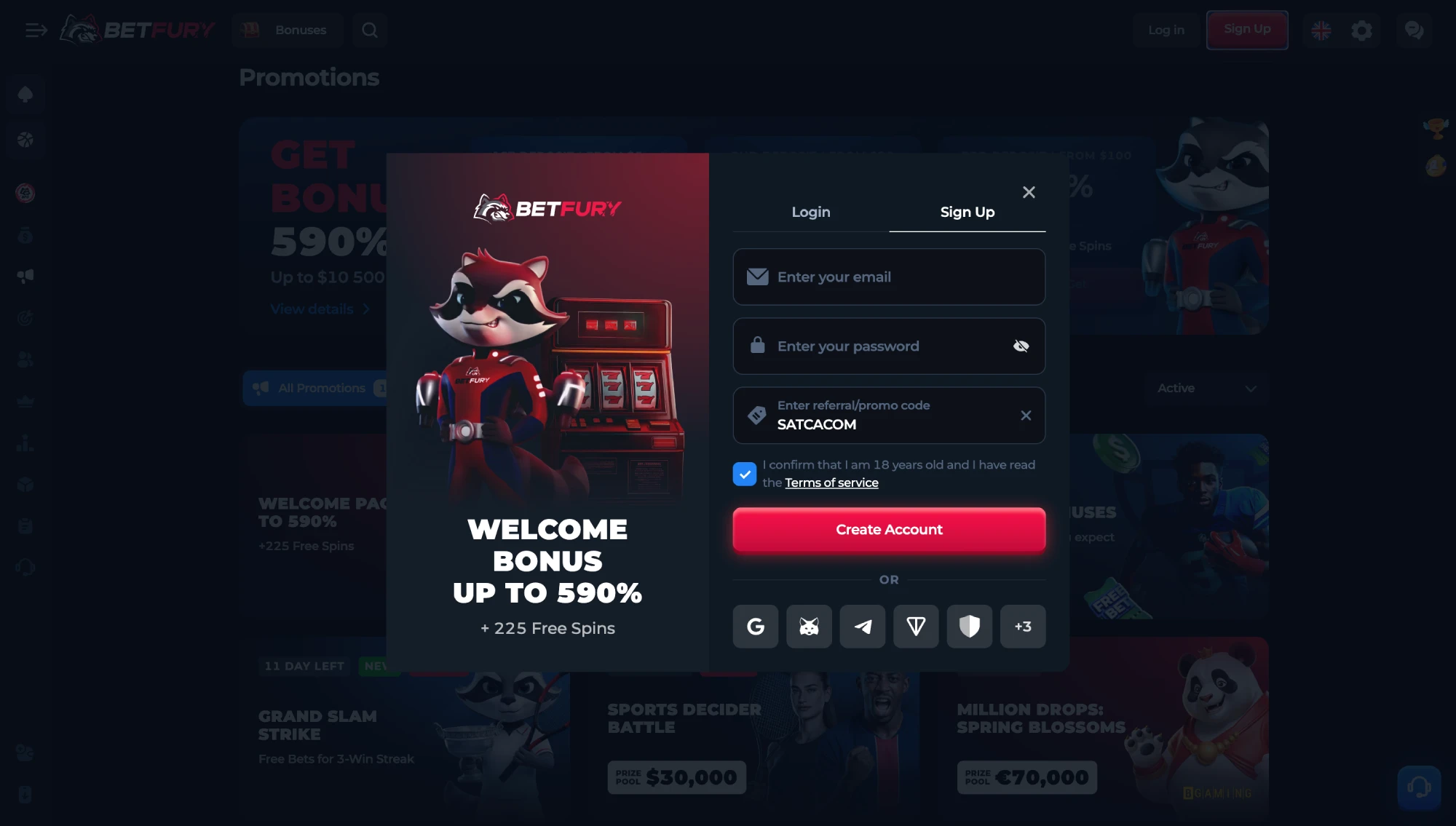
- Open the BetFury app icon from your home screen (see the download section above if you haven't installed it yet).
- Tap "Log In" and enter the same email/password, Google account, or wallet you already use — or tap "Sign Up" if this is a brand-new account.
- Complete any email or 2FA verification step if prompted.
- Your balance, bonuses, and VIP rank load automatically; nothing needs to be re-entered or re-linked from the website.
Creating a New Account From the App
Registering for the first time inside the app works exactly like the website: create an account with email or Google, confirm access if asked, and connect or deposit from an external crypto wallet. BetFury also recommends enabling two-factor authentication through an authenticator app such as Google Authenticator or Authy as soon as the account is active, since app installs on shared or borrowed devices deserve extra protection.
Deposits connected to promotions must come from an external wallet; transfers from tips or other BetFury accounts do not qualify for welcome bonus activation, whether you deposit from the app or the browser.
If you already have an account, simply follow the BetFury Login guide to access your profile securely from either the mobile app or the website. Always verify that you are using the official platform before entering your credentials to help protect your account and funds.
Staying Logged In & Switching Between App and Browser
The app and the website share the same session system, so you can start a session on desktop, close it, and reopen the app on your phone without logging in twice in most cases — though BetFury may still ask you to re-authenticate after long periods of inactivity or a new device/browser change, which is a normal security measure rather than an app-specific bug.
2FA and KYC When Using the App
BetFury follows a conditional KYC model in the app just as it does on the website: identity verification is not required at registration for every player, but BetFury can request documents at any time when compliance, AML, bonus abuse, security, or withdrawal-review processes require it. Requested checks may include identity documents, selfies, source-of-funds information, occupation details, and confirmation of the player's jurisdiction. Enabling 2FA in the app's security settings is the single most effective step to protect the account against unauthorized login, especially since the app icon sitting on a home screen is one tap away for anyone who picks up the device.
Because the app loads the same platform as the website, it offers a practical support setup for a crypto casino: 24/7 Live Support, a searchable Help Center, and official community channels, all reachable without leaving the app. Players can find guidance on account setup, bonuses, security, deposits, withdrawals, responsible gaming, and platform features from the same in-app menu used for everything else.
Opening Live Chat From the App
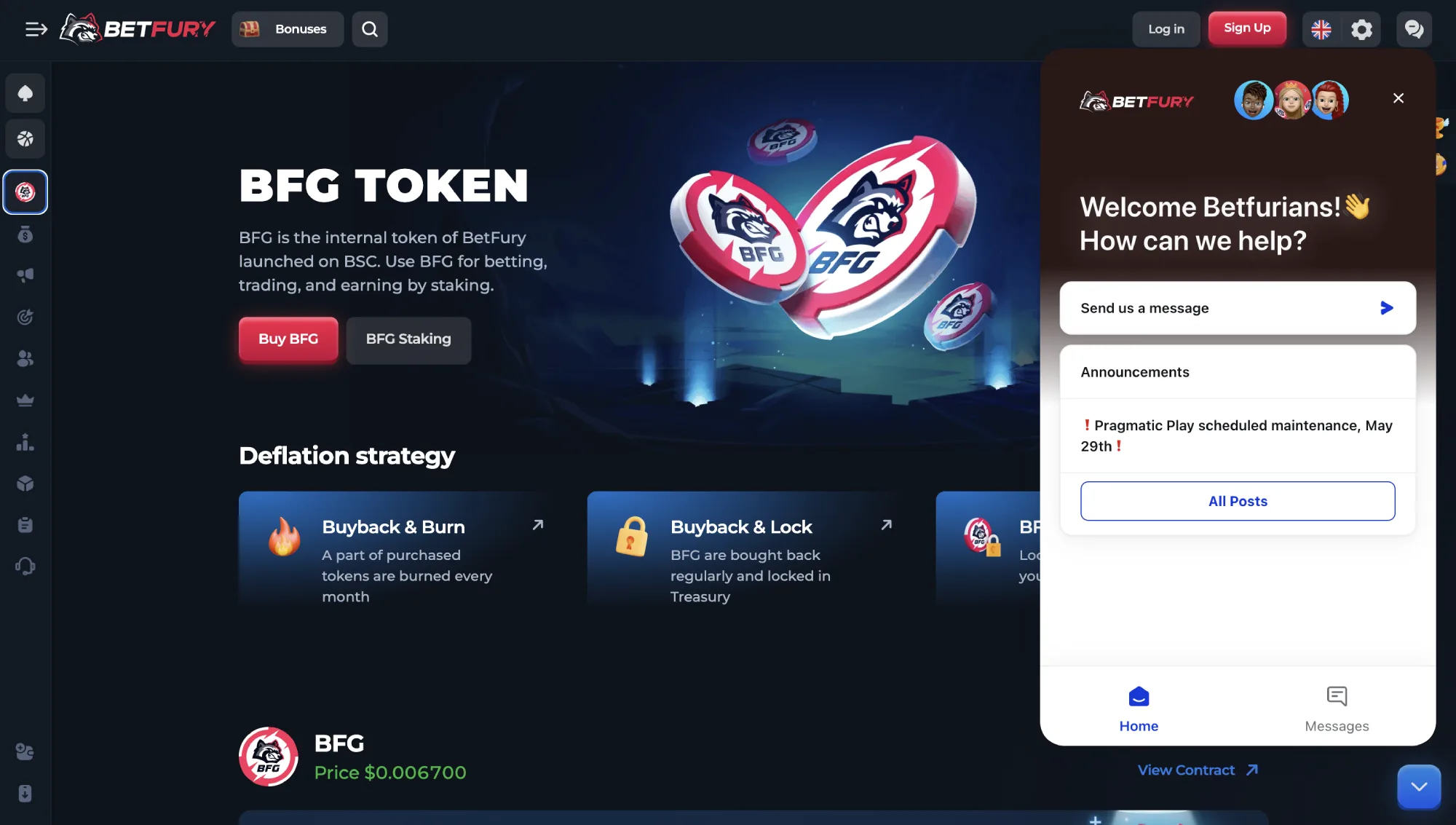
Live Support opens from the same chat icon used on the website, usually docked in a corner of the screen or inside the account/help menu. Tap it to start a new conversation or pick up an existing one — chat history carries over between the app and browser because it is tied to your account, not the device. If the app's push notifications are enabled, you'll get an alert when an agent replies instead of needing to keep the chat window open.
Contact Methods
Bet Fury provides several ways for players to contact customer support. The primary option is 24/7 Live Support on the site, which is intended for questions about the platform, account use, bonuses, payments, and general troubleshooting. Email support is also available at [email protected] for issues that need a written trail or document handling.
The casino also maintains official social and community channels, including Telegram, X, Facebook, Instagram, and Discord. These channels are useful for announcements and general updates, but account-specific issues should still go through Live Support or email. BetFury does not advertise phone support, which is common among crypto casinos.
One limitation is that sensitive requests may not be handled fully through chat. BetFury's responsible gaming documentation, for example, states that self-exclusion requests should be made by email rather than through the chat function.
Help Center and Self-Service Resources
BetFury includes a well-developed Help Center that covers many of the platform's most common topics. The support library includes quick-start guides, account security instructions, bonus explanations, payment guidance, feature overviews, responsible gaming information, and rules for using Live Support.
In addition to the knowledge base, BetFury maintains active social and community channels where players can follow product updates, promotions, and announcements. These channels are useful for staying current, but the Help Center remains the better source for policy details and account-related instructions.
Overall, the help center feels comprehensive and up to date, offering a useful first stop before contacting support directly.
Response Time and Testing Experience
During testing, Bet Fury support flow was straightforward: the Help Center answered common setup and bonus questions quickly, while Live Support was the best route for account-specific troubleshooting. The official chat rules also make expectations clear, including language availability, conduct standards, and time limits for reviewing platform-related disputes.
Email support is most relevant for cases that require formal handling, document context, responsible gaming requests, or a written record. For everyday questions, live chat and the Help Center are faster starting points.
Overall, the support experience is reliable for a crypto casino, with clear self-service documentation and direct Live Support for account or platform questions.
VIP Support
BetFury's VIP system adds stronger support benefits for high-rank players. The VIP Club begins from Rank 10 and can include a personal VIP manager, while the Super VIP Club from Rank 15 adds VIP Concierge support, Super VIP Lounge access, stronger cashback conditions, and exclusive rewards. This makes BetFury a strong option for players comparing VIP crypto casinos.
VIP support is most useful for regular players who need help with account questions, withdrawals, bonus conditions, or loyalty rewards. Casual users will usually be served well enough by standard Live Support and the Help Center.
Because of its 24/7 Live Support, strong Help Center, multilingual chat coverage, and VIP support benefits, BetFury scored 4.8 out of 5 in our customer support evaluation.
BetFury supports a broad crypto-first payment system with 50+ cryptocurrencies and four fiat betting currencies, and every method below is available from the app the moment you're logged in — there is no reduced "mobile cashier" or feature gap. Players can fund their balance through direct crypto deposits, buy crypto through third-party providers, use selected local fiat deposit options, or swap tokens through BetFury's built-in Crypto Swap feature.
Depositing and Withdrawing from the App
The app version of the cashier adds a few mobile-specific conveniences: an external wallet app (MetaMask, Trust Wallet, Coinbase Wallet, etc.) can be opened side-by-side to copy an address, or you can scan the BetFury deposit QR code directly with your phone's camera instead of typing it. Push notifications (where enabled) can also flag when a deposit is credited or a withdrawal is processed, so you don't need to keep the app open and refresh manually while waiting.
If you're making your first transaction, the How to Deposit at BetFury guide explains the supported cryptocurrencies, deposit steps, and important requirements for qualifying transactions. Reviewing the process beforehand can help ensure your funds are credited quickly and that you meet any promotional eligibility conditions.
Deposit Methods
BetFury offers three main ways to add funds. The simplest option is a standard crypto deposit from an external wallet: players choose a coin, select the correct network, copy the deposit address, and send funds from their wallet. Deposits are credited automatically once the transaction is confirmed, though BetFury notes that rare cases may take 24 to 72 hours.
Players can also buy crypto directly through the BetFury cashier using providers such as MoonPay, Banxa, and Chain Valley. These providers can support payment options such as Visa, MasterCard, Apple Pay, PayPal, Skrill, Neteller, PIX, Multibanco, Latam Cash, and other regional methods, depending on country and currency availability.
BetFury also supports Deposit Cash in four fiat currencies: MXN, CLP, PEN, and COP. Availability depends on region and payment provider rules, so the cashier should always be treated as the source of truth before depositing.
Withdrawals and Processing Times
Site withdrawals follow a similar flow to deposits: players choose the currency, enter the wallet or payment details, select the network or method when required, and confirm the transaction. Crypto withdrawals depend on blockchain conditions, selected network, and internal risk checks.
Terms state that users may be required to withdraw to the same wallet, payment method, or blockchain used for the deposit. Attempting to withdraw to a different wallet, card, account, payment method, or network may trigger additional review or verification.
Most routine crypto payouts should be faster than traditional bank payments, but BetFury reserves the right to delay withdrawals for anti-fraud or security checks. The terms mention that review can extend up to seven days or longer if needed, while some fiat withdrawals may take up to seven business days in exceptional provider or bank-delay cases.
KYC and Withdrawal Verification
Website uses a conditional KYC model rather than requiring identity checks for every withdrawal. The platform reserves the right to request KYC documentation at any stage of interaction, including deposits and withdrawals, when required by AML checks, risk controls, suspicious activity review, sanctions screening, or payment-method inconsistencies.
Verification may include identity documents, a selfie, source-of-funds information, occupation details, proof of location, or other checks needed to confirm account ownership and legal eligibility. Until verification is completed, BetFury may restrict deposits, withdrawals, or platform access.
For players, the practical takeaway is simple: small routine crypto transactions may be smooth, but larger, unusual, mismatched, or provider-flagged transactions can require extra checks before funds are released.
Fees and Limits
BetFury states that it does not charge deposit fees in most cases, but cryptocurrency transfers still include network commissions, and third-party payment providers may apply their own fees, spreads, conversion costs, or verification requirements. Fees vary by coin, network, country, provider, and transaction amount.
The cashier may show different costs depending on the selected network. For example, the same coin can have very different fees across Ethereum, BNB Chain, Arbitrum, Optimism, TRON, or other supported networks. Choosing the wrong network can also lead to lost funds, so users should double-check the address, memo or tag, chain, and minimum deposit amount before sending crypto.
Because provider fees can vary significantly, BetFury buy crypto feature is convenient but not always the cheapest way to fund an account. Players who already hold crypto may prefer direct wallet deposits for better cost control.
Additional Crypto Features
Casino BetFury includes several useful wallet tools beyond basic deposits and withdrawals. The built-in Crypto Swap feature lets players exchange supported tokens without leaving the platform, while the Vault can be used to separate crypto or fiat funds from the playable balance.
These tools make BetFury stronger than a simple cashier only casino. Players can hold funds, move supported assets, buy crypto, deposit cash in selected fiat currencies, and manage balances from one account interface.
Because of its wide crypto coverage, fiat on-ramp options, built-in swap feature, Vault storage, and flexible network support, BetFury scored 4.8 out of 5 in our payment evaluation.
Because the BetFury app is a progressive web app rather than a compiled binary, "system requirements" mostly come down to having a reasonably current browser rather than a specific phone model or amount of RAM. This section covers exactly what you need, how much space it uses, how updates work, and how to fix the install and login problems players run into most often.
Minimum Requirements
| Platform | Requirement |
|---|---|
| Android | Android 8.0 or newer with Chrome 90+ (or another current Chromium browser) |
| iOS / iPadOS | iOS 14 or newer with Safari (installation must go through Safari, not Chrome) |
| Windows | Windows 10 or 11 with a current version of Chrome or Edge |
| macOS | Recent macOS with Chrome, Edge, or Safari (via "Add to Dock") |
Storage, Data Usage & Battery
The installed app itself takes up only a few megabytes of cache and configuration data, since it is not shipping a full offline game library the way a native casino app might — game assets and video streams (for live dealer tables) still load over your connection when you play. Data usage scales with what you do: browsing menus and playing simple slots uses relatively little, while live dealer tables and video-heavy promotions use noticeably more. Battery impact is comparable to running the site in a browser tab; it is not a background app and does not consume power when closed.
Updating the App
There is no manual update to install and no version number to check: because the app loads the live site every time it opens, you automatically get the current version. If something looks broken or out of date, it usually means your device cached an old copy of the page — close the app fully, reopen it, and if the issue persists, remove and reinstall the home-screen icon.
Uninstalling & Reinstalling
To remove the app, long-press the icon and choose "Remove," "Uninstall," or "Delete" like any other home-screen shortcut on Android or iOS; on Windows or Mac, uninstall it from the browser's app management page (in Chrome, go to chrome://apps) or from the system's installed-apps list. Reinstalling takes the same one-minute steps covered in the download section above, and your account, balance, and bonuses are untouched since none of that data is stored on the device.
Common Install & Login Problems
| Problem | Likely Fix |
|---|---|
| No install prompt appears | Open the official link directly in Chrome (Android/desktop) or Safari (iOS) instead of an in-app browser (Instagram, Facebook, Telegram); update the browser and reload the page fully before retrying. |
| App icon opens a blank or broken page | Check your internet connection, then clear the browser's cache for the site or remove and reinstall the icon to force a fresh copy of the page. |
| Can't log in from the app | Confirm you're using the same login method (email, Google, or wallet) as your existing account; reset your password from the login screen if needed, since app and website share one account system. |
| Not receiving push notifications | Check that notification permission was granted when the app was installed, and that the device's system-level notification settings allow the browser/app to send alerts. |
| "App" only opens in a browser tab, not full-screen | This usually means it was bookmarked rather than installed — repeat the "Install app" / "Add to Home Screen" steps rather than just saving a bookmark. |
Language & Currency Support in the App
BetFury promotes 14 website language versions, while Live Support is available in 13 languages, including English, Spanish, French, German, Italian, Portuguese, Portuguese (BR), Russian, Polish, Indonesian, Hindi, Chinese, and Japanese — all available in the app with the same language switcher used on desktop. Currency support is also broad, with 50+ cryptocurrencies and four fiat betting currencies supported through the cashier and wallet system.
Countries
The app is available in many markets, but access depends on local gambling laws, payment availability, and the platform's restricted-territory rules. Installing the app does not bypass these rules — the same country restrictions that apply on the website apply the moment you log in from the app. Players should confirm eligibility before registering or depositing, especially if they are in a regulated or prohibited gambling jurisdiction.
- Afghanistan
- Albania
- Algeria
- Andorra
- Angola